Problem Description: I downloaded ACDP 2 software from Yanhua's official website, but after opening it, I got the message "This application cannot be started." What should I do to use this app normally?
Solution: Download the "Running environment" in the picture, unzip it, and install the program. Then you can use the ACDP 2 app normally.
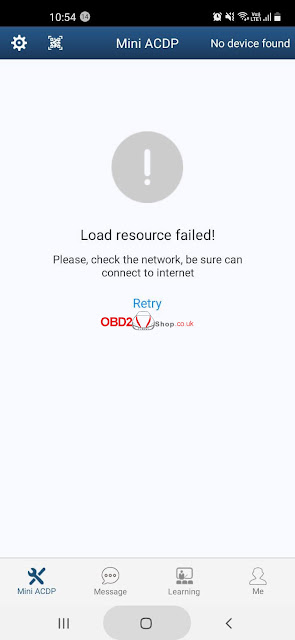
I was using Yanhua Mini ACDP to download software, but it prompted “Load resource failed! Please check the network, be sure can connect to the internet.” I still cannot download any software, what’s the problem? Please help me.
Solution
The reason why Mini ACDP App failed to download software is because of insufficient memory. Please follow the methods below for trouble-shooting.
1. Check if the phone is out of memory, if yes, please change to another phone;
2. Go to “Setting >> Clear cache” in app.
Then try to re-download again.
Update
Thanks to Obd2shop, the problem was solved!
If you still have questions, welcome to contact us.
Use Yanhua acdp to add new key for cas3+ keyless go key, the key and remote can work, but keyless doesn't work.
obd2shop.co.uk solution:
CAS3+ must be written on Key1 and Key2, and CAS must be rewritten before it has smart.
The method to match CAS3+ smart key:
1. Delete the smart key that was lost on the first 2 key positions.
2. Program new key on the same key positions.
3. Smart key needs to rewrite the data that is generated in step 2.